Download the 949tt App — Casino & Cricket Betting on Your Phone
Get the 949tt app APK on Android in under two minutes. Full casino lobby, live cricket odds, and instant bKash deposits — all from one screen, no browser needed.
Android 6.0+ · v2.2.0 · 36 MB · 18+ · Play Responsibly
Scan with your phone camera to download
- SSL Secured
- Android 6.0+
- 24/7 Support
- bKash & Nagad
- 18+ Only
- Free to Download
The 949tt App Is Safe to Install
The APK is signed and scanned before every release. Here is what the app asks for — and why.
Signed APK, No Malware
Every 949tt APK build is code-signed with a private key before publishing. The signature is verified by Android during installation, so a modified or tampered file will be rejected automatically. Always download from 949tt.cam or the direct link on this page — do not use third-party APK sites, as those copies may be repackaged.
Minimal Network Permissions
The app requests INTERNET (to reach game servers) and ACCESS_NETWORK_STATE (to detect mobile vs Wi-Fi, so it can warn you before loading heavy assets on a slow connection). It does not request location, contacts, camera, or SMS. If you see a permission prompt for any of those, do not proceed — that is not the official 949tt app.
HTTPS for Every Request
All traffic between the 949tt app and the server runs over TLS 1.3. Your account credentials and payment details are never sent in plain text. The app enforces certificate pinning — meaning even if someone intercepts your connection, they cannot read the data or inject fake responses. Your bKash and Nagad transaction details stay private end-to-end.
Two-Factor Login Support
You can link your 949tt account to a second verification step inside the app settings. This means even if someone else knows your password, they cannot log in without the one-time code sent to your registered phone number. It takes about 30 seconds to set up and is strongly recommended — especially if you use public Wi-Fi or a shared device.
Download the 949tt App APK
Current stable release. Click the button below — your browser will download the APK file directly to your phone's storage.
949tt App v2.2.0
| Field | Details |
|---|---|
| App Version | 2.2.0 |
| File Size | 36 MB |
| Minimum Android | Android 6.0 (Marshmallow) |
| Last Updated | 5 November 2026 |
| Price | FREE |
| Platform | Android APK (iOS via browser) |
| Languages | English & Bangla |
| File Name | 949tt.apk |
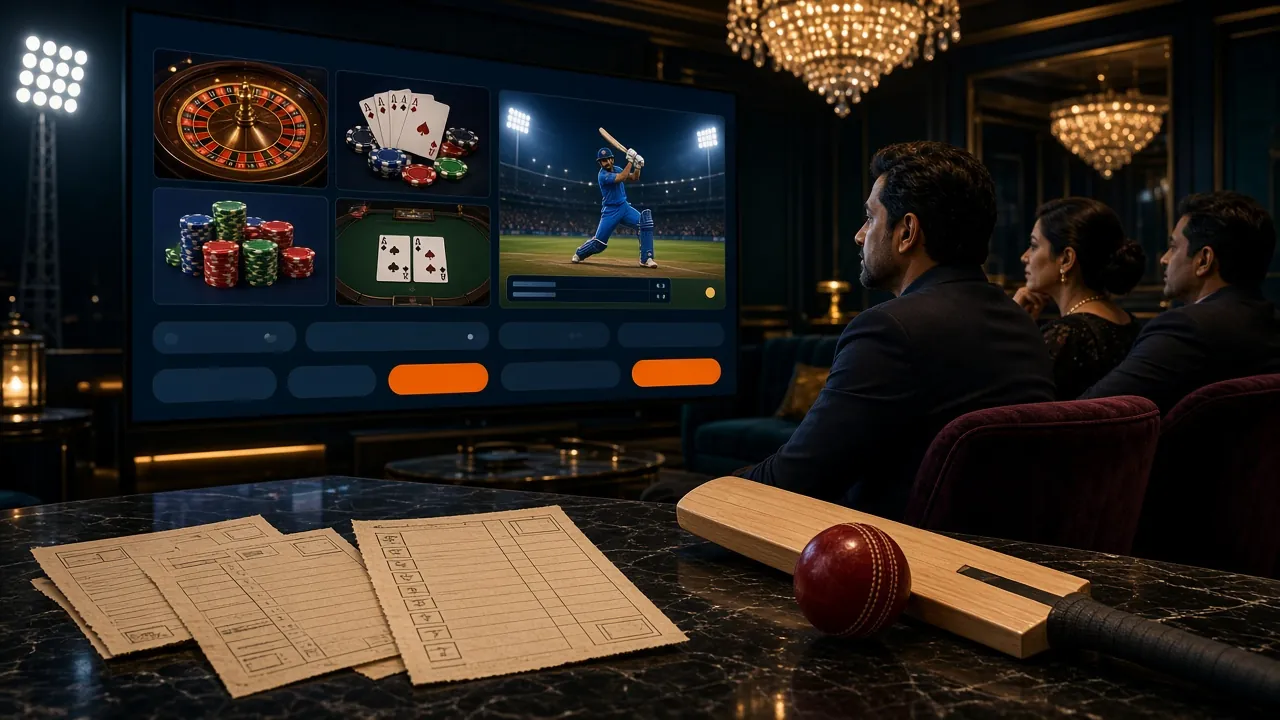
Play Everything Inside the 949tt App
The app mirrors the full 949tt Casino lobby. Here are the six main areas you will find after logging in.
Slots & Crash Games
Browse titles from JILI, PG Soft, Red Tiger, and CQ9. Games like Dragon Hatch, Monster Mine, and Coin load in seconds on a standard mobile connection. Bet from ৳2 and filter by provider or RTP. The app keeps your play history so you can jump back to a half-finished session.
Live Casino Tables
Connect to live-streamed Baccarat, Roulette, and Teen Patti tables hosted by Ezugi and PG Soft dealers. The app streams at lower bitrate automatically when your signal is weak, cutting buffering without dropping the game. Mini Baccarat starts from ৳10 and runs all day and night.

Cricket Betting
Live odds for BPL, IPL, and international T20 and ODI matches update in real time. Place a 1X2 or runs-over bet mid-over from the same screen where you are playing slots. Push notifications alert you when a match you have bet on is about to start — opt in from app Settings.
Fishing Games
King of Fishing (CQ9, RTP 96.2%) and Caishen Fishing (Ezugi, RTP 97.6%) are two of the most-played titles on 949tt. The touch controls are built for mobile — tap to aim, hold to charge shot power. Minimum bet is ৳10 for King of Fishing and just ৳1 for Caishen Fishing.
Deposits & Withdrawals
Send money via bKash, Nagad, Rocket, or Bank Transfer right inside the app. Deposits arrive in about 6 minutes; withdrawals average 43 minutes. Minimum deposit is ৳200. The app shows your pending withdrawal status in real time — no need to refresh the page or contact support for a standard transaction.
Bonuses & VIP Rewards
Claim your first-deposit bonus of 165% (up to ৳18,500) and daily cashback of 1% directly from the Promotions tab. VIP tier progress and your current cashback rate are shown on the account dashboard. Referral bonuses of ৳100 per friend who signs up are tracked in the Referrals section — no manual claiming needed.
App vs Browser — Which Is Better for You?
Both work. The app gives you a faster experience and push notifications. The browser version needs no installation and works on iOS. Here is a direct comparison to help you decide.
| Feature | 949tt App (Android) | Browser (iOS / Any) |
|---|---|---|
| Game loading speed | Faster — cached assets | Depends on cache |
| Push notifications (match alerts) | Yes | No |
| Works without installing | APK install required | Open and play |
| iOS support | Android only | Full browser support |
| Biometric login (fingerprint) | Yes (if device supports) | No |
| Deposit via bKash in-app | Yes | Yes |
| Offline game preview | Yes — lobby cached | No |
| Data usage on slow connections | Lower — adaptive quality | Higher — full page loads |
| Account required to download | No — download first | No |
| File size | 36 MB to install | Nothing to store |
Our recommendation: use the app if you are on Android and want push alerts for cricket. Use the browser if you are on iOS or just want to try 949tt before committing to a download. Either way, you can create an account and use the same login credentials across both.
Install the 949tt App on Android — 5 Steps
Android blocks APKs from outside the Play Store by default. You need to allow "unknown sources" once. The whole process takes under two minutes.
-
1
Allow Installation from Unknown Sources
Go to Settings → Apps → Special App Access → Install Unknown Apps. Find your browser (e.g. Chrome) in the list and tap it. Toggle "Allow from this source" to ON. This setting only grants permission to your browser — not to every app on your phone. You can turn it off again after installation if you prefer. On Android 7 and older, the path is Settings → Security → Unknown Sources.
-
2
Download the 949tt APK
Open this page on your Android phone and tap the "Download APK — Free" button above. Your browser will download the file
949tt.apk(36 MB) to your Downloads folder. Wait for the progress bar to reach 100% before proceeding. If you are on a slow mobile connection, switching to Wi-Fi first will save a minute or two. -
3
Open the Downloaded File
Once the download finishes, your browser will show a notification at the bottom of the screen. Tap "Open". Alternatively, open your phone's Files app, navigate to Downloads, and tap
949tt.apk. Android will show an install prompt listing the app name and permissions it requests. Review these — the official 949tt app only asks for INTERNET and ACCESS_NETWORK_STATE. -
4
Tap "Install" and Wait
Tap the blue Install button on the Android install screen. Installation takes about 10–20 seconds depending on your device speed. You may see a "Play Protect" scan notification — this is normal. Android is scanning the APK for known malware signatures. The 949tt app will pass this scan. Do not cancel during the scan; the installation will complete automatically once it finishes.
-
5
Open the App and Log In
Tap Open on the success screen, or find the 949tt icon on your home screen. If you already have a 949tt account, tap "Log In" and enter your credentials — the same username and password you use on the website. New to 949tt? Tap "Register" to create an account. Your first-deposit bonus of 165% up to ৳18,500 is available immediately after registration and deposit.
Using an iPhone? Add 949tt to Your Home Screen
Apple does not allow APK installation. Instead, use Safari to add 949tt.cam as a Progressive Web App — it will behave like a native app with its own icon on your home screen.
-
1
Open Safari on Your iPhone
Navigate to https://949tt.cam. This must be Safari — Chrome and Firefox on iOS do not support the "Add to Home Screen" option needed for this to work as a full-screen app.
-
2
Tap the Share Icon
At the bottom of Safari, tap the Share button (the box with an upward arrow). A menu slides up from the bottom of the screen with sharing and browser options.
-
3
Select "Add to Home Screen"
Scroll down in the share menu until you see "Add to Home Screen". Tap it. You can rename the shortcut to "949tt" if you like, then tap Add in the top right.
-
4
Open from Your Home Screen
Find the 949tt icon on your iPhone home screen. Tap it — the site opens in full-screen mode without Safari's browser bar. Log in with your existing credentials or register a new account to claim your welcome bonus.
Fix Common Install Problems
If the 949tt app does not install on the first try, one of these five issues is usually the cause. Find your error below and follow the fix.
| Problem | Likely Cause | How to Fix |
|---|---|---|
| "Install blocked" or "Not allowed" message | Unknown sources not enabled for your browser app | Go to Settings → Apps → Special App Access → Install Unknown Apps. Find the browser you used to download (e.g. Chrome) and enable "Allow from this source". Then tap the APK file again. |
| "App not installed" error after tapping Install | An older version of the 949tt app is already on the device, or storage is too full to complete installation | First, uninstall any existing 949tt app from Settings → Apps → 949tt → Uninstall. Then check that your phone has at least 100 MB free storage before retrying the install. Re-download the APK fresh from this page. |
| APK download stops at 0% or never starts | Network interruption or browser blocking the direct download link | Switch from mobile data to Wi-Fi (or vice versa) and try the download link again. If Chrome blocks it with "Dangerous file" warning, tap "Keep" to confirm. The APK is safe; Chrome shows this for all APK files, not just 949tt. |
| App crashes immediately after opening | Device runs Android below 6.0, or the downloaded APK file is incomplete (download cut off early) | Check your Android version at Settings → About Phone → Android Version. If it shows 5.x or lower, the 949tt app will not run — use the browser version at 949tt.cam instead. If Android is 6.0+, delete the APK and re-download it completely on a stable connection. |
| Login fails inside the app after installation | Incorrect credentials entered, or account not yet registered | Double-check your username and password — they are case-sensitive. If you forgot your password, tap "Forgot Password" on the login screen to reset via your registered phone number. If you do not have an account yet, tap "Register" to create one — it takes about 60 seconds. |
Still stuck? Contact the 949tt support team via 24/7 Live Chat inside the app or website, or email [email protected]. Include your Android version and the exact error message you see.
One Tap From Your Home Screen to Live Odds
Installing the APK leaves a 949tt icon next to your other apps. Tap it and the lobby, the cricket coupon and the cashier are already there, with no address bar and no password to retype.
-
Your login stays on the phone
Sign in once and the app keeps the session, so checking a match at night does not mean typing your number and password again.
-
Odds move with the over
In-play cricket prices refresh while the bowler runs in, and the slip holds the selections you already made instead of clearing the page.
-
bKash and Nagad without a detour
The cashier sits inside the app, so a top-up from ৳200 does not send you to a browser. Most deposits reach your balance in about 6 minutes.
-
New builds install over the old one
A fresh APK replaces the previous version in place. Your account, open bets and bonus progress stay exactly where they were.
Or scan the code with your camera app to open the same download link.
Free download · v2.2.0 · 36 MB · Android 6.0 and above. Turn on installs from this source when your phone asks, then turn it off again afterwards. 18+ · Play Responsibly.
Questions About the 949tt App
Answers to the questions we hear most often from Bangladesh players downloading the 949tt app for the first time.
Is the 949tt APK safe to install on my phone?
Yes. The official 949tt APK is code-signed, and Android verifies that signature before completing installation. As long as you download it from 949tt.cam — specifically the link on this page — the file is authentic. The app only requests INTERNET and ACCESS_NETWORK_STATE permissions. It does not ask for access to your contacts, messages, camera, or location. If you download from an unofficial source and it requests extra permissions, delete it and re-download from here.
Why is the 949tt app not on the Google Play Store?
Google Play Store policy does not allow real-money gambling apps in most regions, including Bangladesh. This applies to virtually all online casino and betting platforms — not just 949tt. The APK distribution model is standard practice for licensed operators targeting Bangladesh players. The app itself is identical in function to what you would find on Play Store if it were listed. Installing via APK is legal on Android and takes under two minutes using the steps on this page.
My phone shows "Dangerous file" when downloading — what do I do?
Chrome on Android shows this warning for all APK files, not just 949tt. It is a blanket caution for executable files, not a verdict on this specific APK. Tap "Keep" (or "Keep Anyway" on some versions) to allow the download to complete. If you used a different browser and it blocked the download entirely, try opening the download link in Chrome or Samsung Internet and accepting the prompt. After installation, you can review which permissions were granted at any time in Settings → Apps → 949tt.
How do I update the 949tt app when a new version comes out?
The app shows a banner inside the lobby when a new version is available. Tap the banner to go directly to the download page, then repeat the install process — download the new APK, tap to install, and confirm. Android will update the app in place without deleting your account data or settings. You do not need to uninstall the old version first. Alternatively, you can always check the version number listed in the table on this page and compare it with the version shown at Settings → Apps → 949tt on your device.
Can I use the same account on the app and the browser version?
Yes — your 949tt account works across the app and the browser version simultaneously. Your balance, bonus progress, VIP tier, deposit history, and bet history are all stored on the server, not on the device. You can start a slot session in the app on your phone, then continue the same session in the browser on a laptop. The only thing that does not carry over is an in-progress game round — finish the round on one device before switching to avoid a "session conflict" message.
Does the 949tt app work on a tablet or low-end Android phone?
The app runs on any Android device at version 6.0 or higher. It is designed to adapt to screen size, so tablets display a wider layout with more games per row. For very low-end phones (under 2 GB RAM), the app may take a few seconds longer to load live casino streams — this is normal. If you notice slowness, go to app Settings → Performance → enable "Data Saver Mode". This reduces stream quality slightly but keeps the game running smoothly on slower hardware or limited mobile data plans.
Can I deposit via bKash directly inside the 949tt app?
Yes. Open the app, go to Account → Deposit, and select bKash, Nagad, Rocket, or Bank Transfer. Enter the amount (minimum ৳200) and follow the on-screen instructions. For bKash and Nagad, you will be shown a merchant number to send to — the payment is processed in about 6 minutes. Withdrawals (minimum ৳800, maximum ৳120,000 per day) are requested from the same menu and typically arrive within 43 minutes. If you are new, read the full 949tt Deposit Guide before your first transaction.
Once You Have the App Installed
Play Responsibly — 18+ Only
The 949tt app is for adults aged 18 and over. Gambling carries financial risk — never bet money you cannot afford to lose. Use the deposit limits and self-exclusion tools in app Settings if you need to manage your play. Free support is available at 949tt Responsible Gaming.
Your device data is processed only to deliver app functionality. 949tt does not sell personal data to third parties. See our Privacy Policy for full details. · Terms & Conditions